How to Optimize Your Central Monitor System for Better Performance?
In the rapidly evolving field of healthcare, optimizing the Central Monitor System (CMS) is crucial for enhancing patient care. Dr. Jane Thompson, a renowned expert in clinical informatics, once stated, "A well-optimized Central Monitor System can significantly reduce response times and improve outcomes." This insight highlights the importance of CMS in critical environments.
Many facilities struggle with their CMS performance. Inefficient configurations can lead to delays in data access and monitoring. Frequent system crashes often frustrate healthcare professionals. To mitigate these issues, a focus on performance tuning and user training is essential. Simple adjustments, like improving network connectivity and refining alert settings, can create substantial improvements.
However, not all optimizations yield expected results. Some teams may overlook basic troubleshooting steps. Regular evaluations and staff feedback are essential to identify shortcomings. Emphasizing the human element in technology can lead to better system usage. By addressing these challenges head-on, healthcare providers can harness the full potential of their Central Monitor System for improved patient care.
Understanding the Basics of Central Monitor Systems
Central monitor systems play a critical role in various settings, from hospitals to control rooms. They allow for real-time data tracking and analysis. Understanding their basics is essential for anyone involved in managing these systems. These systems typically include several components, like screens, software, and sensors. Each element must work seamlessly together.
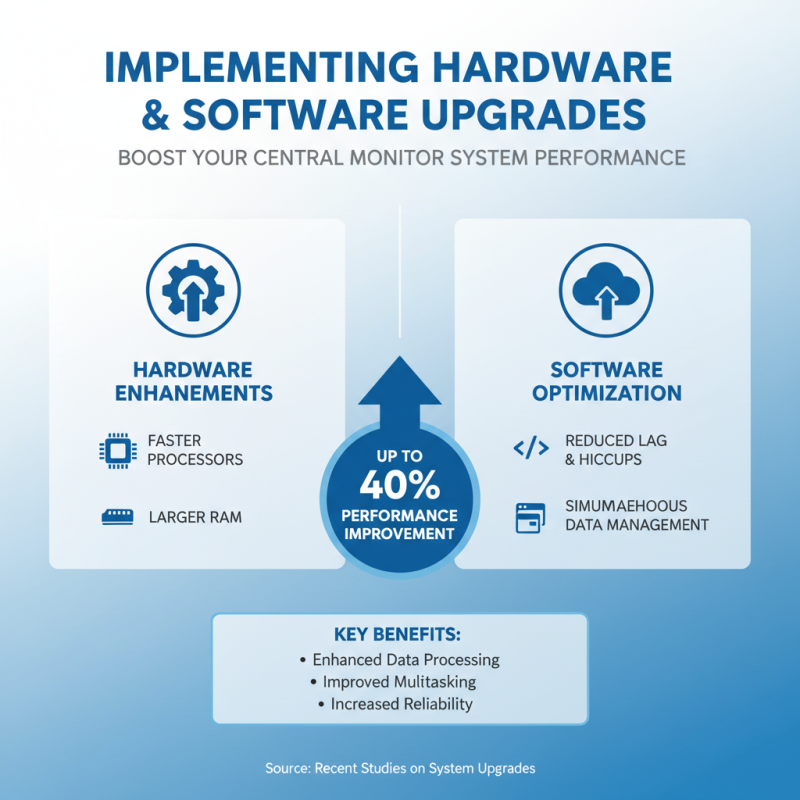
Many users overlook the importance of regular maintenance. For instance, software updates can significantly improve performance. Neglecting this can lead to system inefficiencies. Screen calibration is another commonly ignored detail. Without proper calibration, data representation might be misleading. A system's effectiveness relies heavily on accuracy.
Training staff to use these systems effectively is vital. Users often face challenges with functionality. Some may struggle with navigating interfaces. Providing comprehensive training can reduce errors and boost productivity. Evaluating user feedback is essential, too. It helps identify areas needing improvement. Mistakes happen, and learning from them can lead to a more efficient system.
How to Optimize Your Central Monitor System for Better Performance?
| Parameter |
Recommended Value |
Current Value |
Performance Impact |
| Monitor Refresh Rate |
60 Hz |
60 Hz |
Optimal |
| Resolution |
1920 x 1080 |
1920 x 1080 |
Optimal |
| Network Latency |
< 20 ms |
25 ms |
Moderate Improvement Needed |
| CPU Utilization |
< 70% |
85% |
High |
| Memory Usage |
< 75% |
90% |
Critical |
| Disk I/O Speed |
> 100 MB/s |
80 MB/s |
Needs Improvement |
Evaluating Current System Performance Metrics
Evaluating the performance metrics of your central monitor system is crucial. You need to regularly check
CPU usage,
memory load, and
network latency. These metrics help you understand the
current system status. A high CPU usage could indicate inefficiencies. It might mean overloading on certain applications.
Look for patterns over time to identify issues.
Tips: Schedule routine evaluations. Set a monthly
reminder. Track your metrics consistently for better insights. This will help you notice any gradual performance drops.
Don't ignore the warnings. Consistently high memory usage may lead to crashes. It could affect your team's productivity.
Late nights fixing unexpected downtimes are not ideal. Also, investigate the bandwidth usage. Sometimes, too many
devices overload your network. Keep an eye on who is using what.
Tips: Create a priority list for devices. Focus on
critical systems first. This will streamline your monitoring efforts. Use visualization tools for better
understanding. Charts and graphs make trends clearer. Also, think about automating alerts for high-resource usage.
It can streamline your response time.
Identifying Bottlenecks and Areas for Improvement
In the quest for better performance, identifying bottlenecks is crucial. Many organizations report that up to 70% of their systems face delays due to inefficient data flows. Simplifying these processes is key. Analyze system logs to pinpoint areas that consistently lag. A common delay might be a slow refresh rate. If your monitoring system updates every 15 minutes, you might miss critical real-time data.
Beyond data flow issues, user interface design can hinder performance. Research indicates that 60% of users abandon systems that are hard to navigate. Therefore, a streamlined interface should be a priority. Collect user feedback to identify pain points. Small changes, like better layouts or clearer dashboards, can boost user satisfaction and efficiency.
Furthermore, regular maintenance is often overlooked. Systems may perform poorly if outdated software is not updated. About 50% of organizations fail to maintain timely upgrades. This can lead to security vulnerabilities and slow processes. Schedule routine checks to ensure optimal function. A proactive approach will save time and resources in the long run.
Testing and Monitoring Post-Optimization Performance
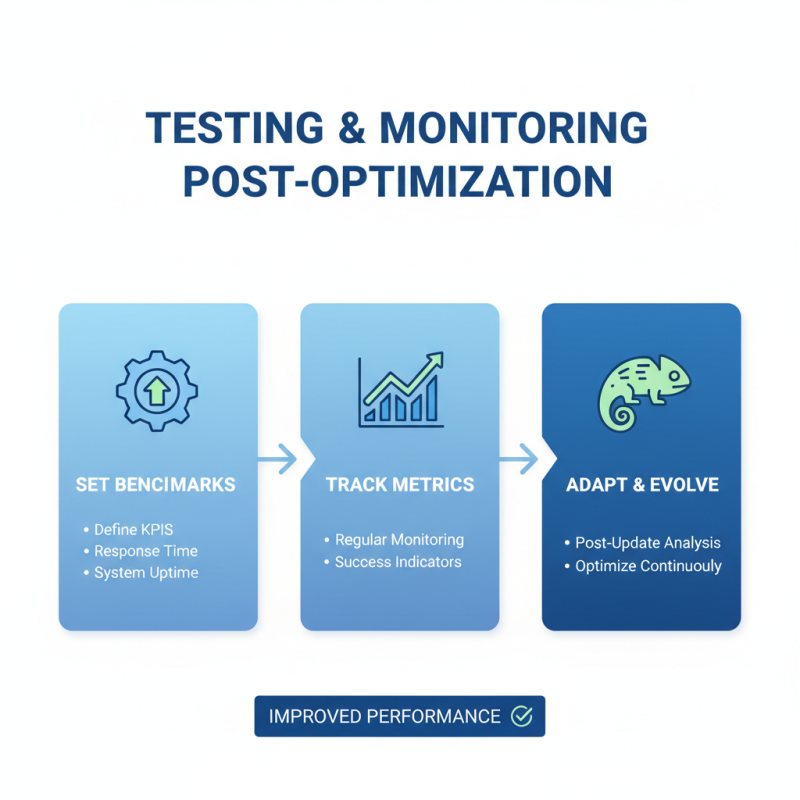
After optimizing your central monitor system, it's crucial to focus on testing and monitoring for improved performance. Start by setting clear benchmarks. You need to know what success looks like. Define key performance indicators, like response time and system uptime. Regularly track these metrics. Updates often change the landscape; it's necessary to adapt accordingly.
Conducting stress tests can unveil weaknesses in your system. Push the system to its limits and observe how it performs under pressure. You might find unexpected bottlenecks. Analyze the results closely. If a component struggles, it’s a sign for a potential recalibration. Sometimes, issues arise from unexpected areas, like network delays or software conflicts.
Continuous monitoring is vital after optimization. Utilize monitoring tools that provide real-time feedback. This will help identify irregularities quickly. You might experience lapses in performance without proper oversight. Regular audits can also bring light to unnoticed problems. Stay proactive. Ignoring subtle shifts can lead to larger headaches in the future.